
Office of Information Technology
Connect to a Network Drive
Note that you must be on the campus network (eduroam or ethernet) in order to map a network drive directly. If you are not, you'll need to connect via Omnissa Horizon first.
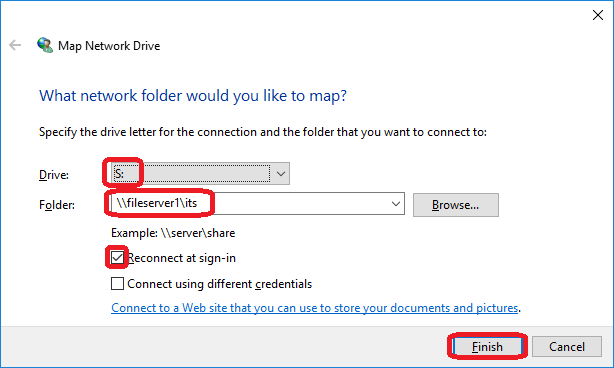
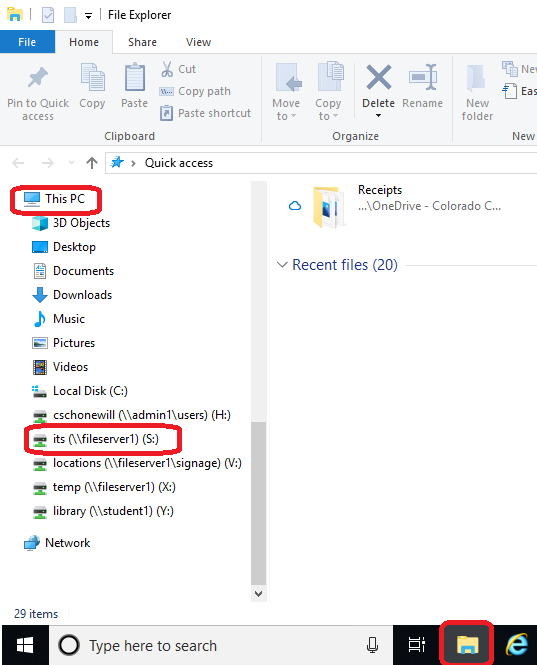
Connect to a network drive on PC
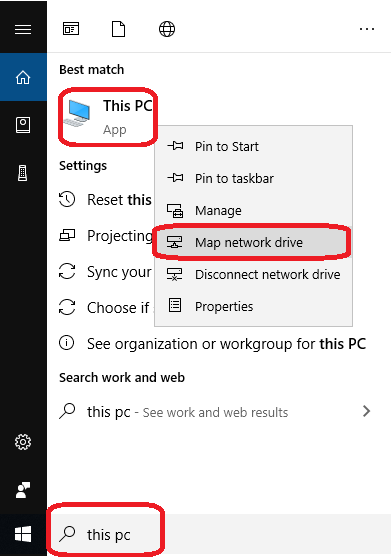
File paths (note that the direction of the slashes is important)
- Employee Home (H) drive \\fileserver1\username
- Employee Department (I) drive \\fileserver1\department
- Temporary Storage \\fileserver1\temp
show all / hide all
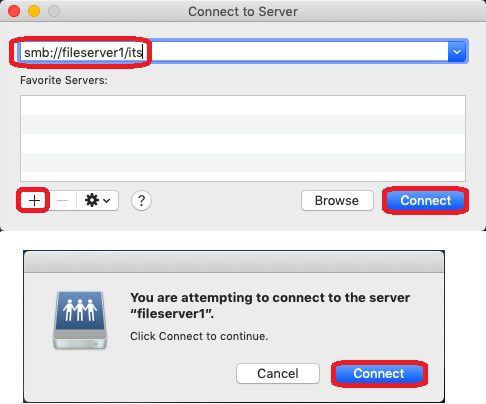
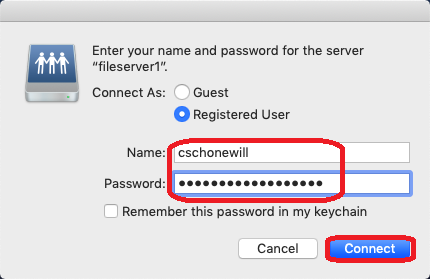
Connect to a network drive on Mac
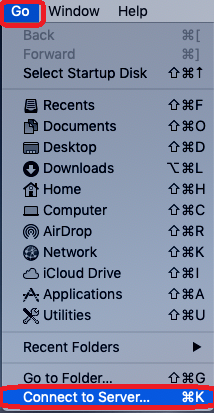
File paths (note that the direction of the slashes is important)
- Employee Home (H) drive smb://fileserver1/username
- Employee Department (I) drive smb://fileserver1/username
- Temporary Storage smb://fileserver1/username
show all / hide all
Report an issue -
Last updated: 09/23/2025