
Inserting a Teams Meeting into a Meeting Invite
Teams meetings are like Zoom or Webex meetings, but use Teams software from Microsoft. They can be as spontaneous as a phone call or pre-arranged like an in-person meeting with invites.
You should use a modern version of Outlook for PC or Mac (or Outlook on the Web) for this to work.
Inserting a Teams Meeting
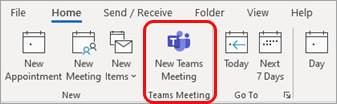

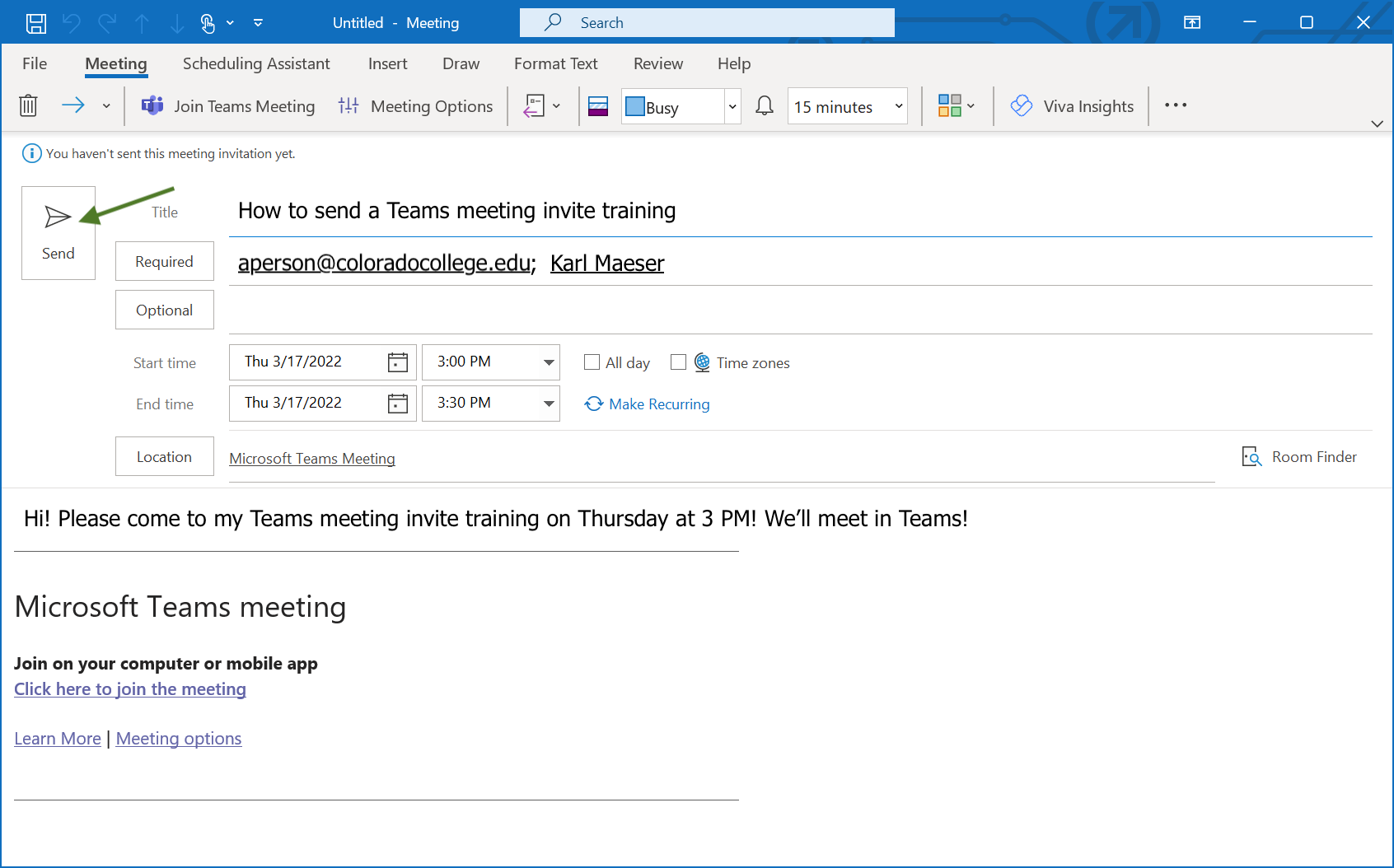
If you don't see the New Teams Meeting icon, your Outlook may need to be updated or the add-in re-installed.
Contact the Solutions Center (its@coloradocollege.edu or 719-389-6449) for assistance.
show all / hide all
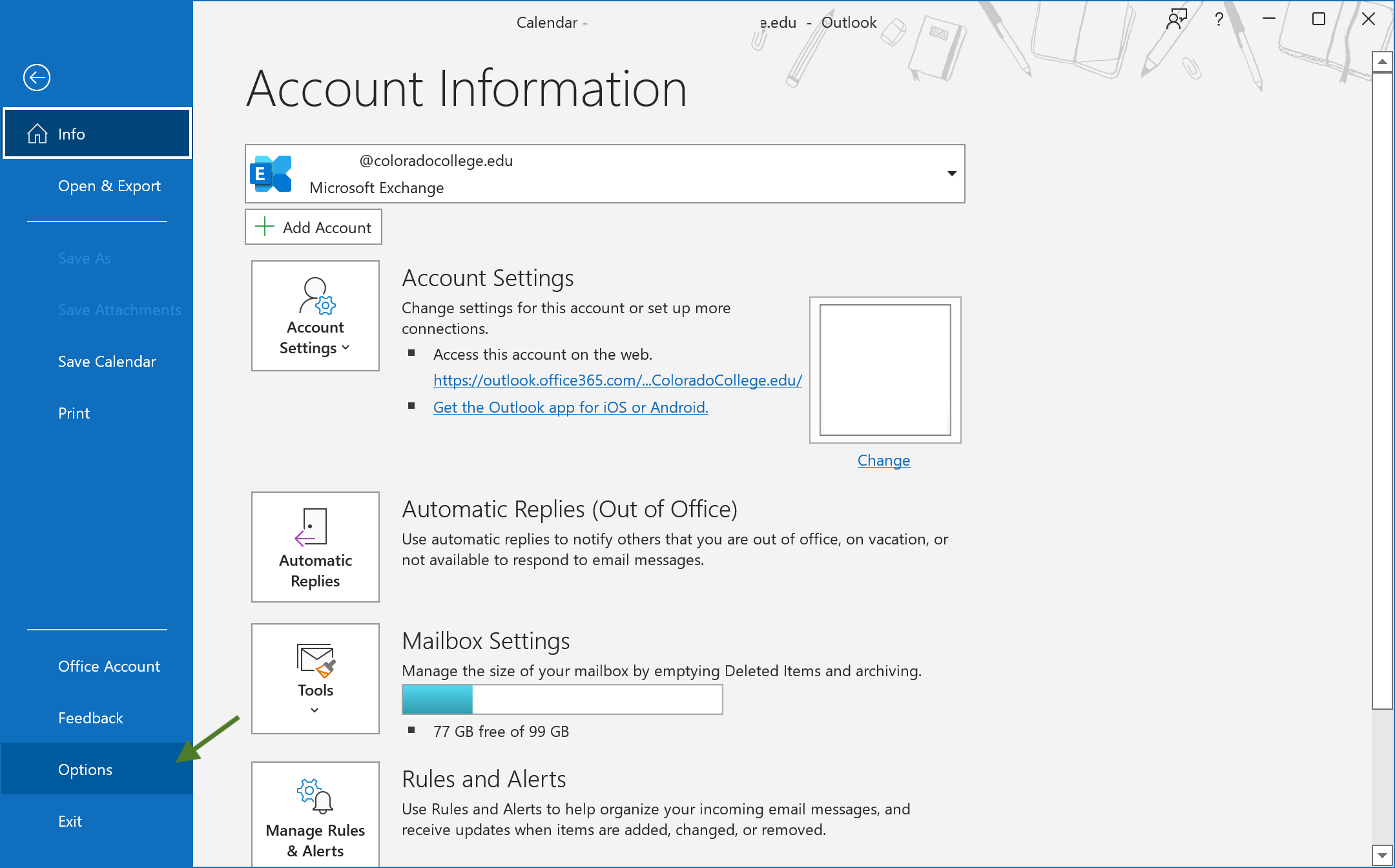
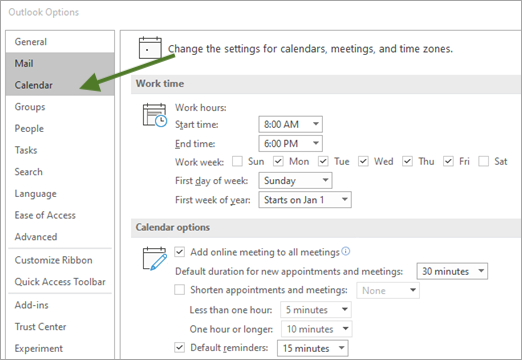
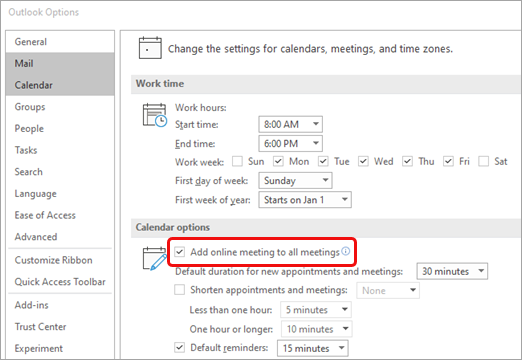
Automatically add a new Teams Meeting to Meeting Invites (Outlook on the desktop)
show all / hide all
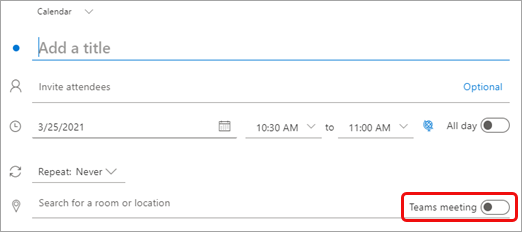
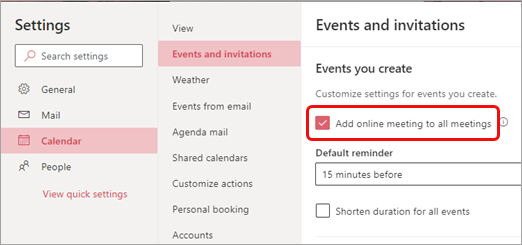
Automatically add a teams meeting to all meeting invites (Outlook on the Web)
show all / hide all