
Connect to Another Mailbox
You may need to monitor another inbox for a department or for a particular person. These instructions will show you how to connect to another inbox.
Note: The other person or department will need to give you permission to access their inbox and any folders within the inbox. If you need help with this, you can contact the ITS: Solutions Center (x6449), its@coloradocollege.edu.
Open occasionally - PC Outlook
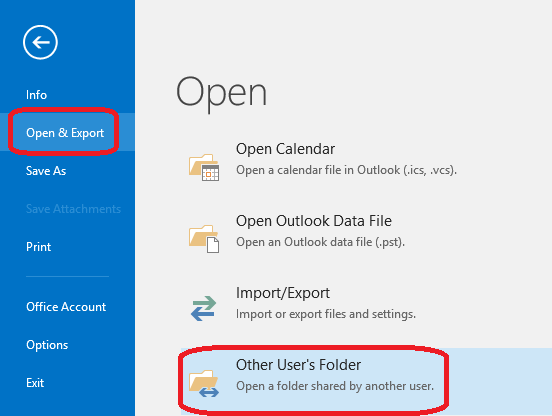
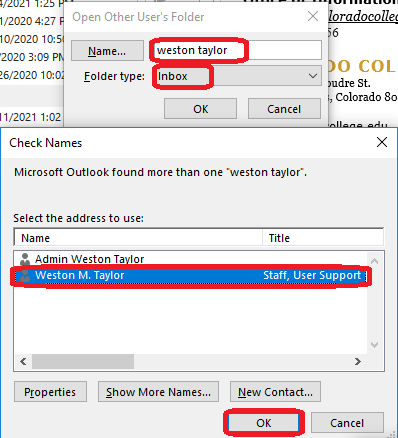
show all / hide all
Open for daily use - PC Outlook
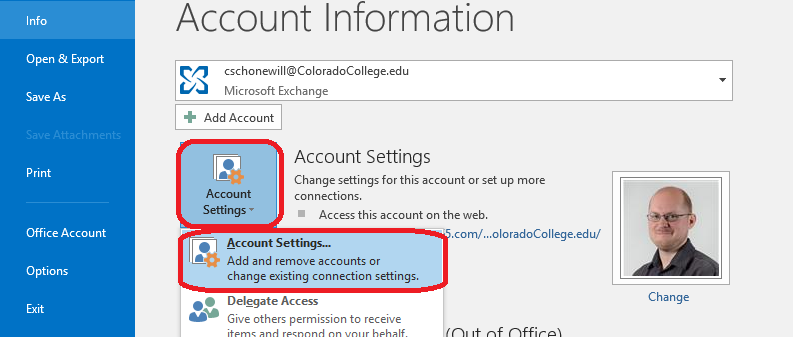
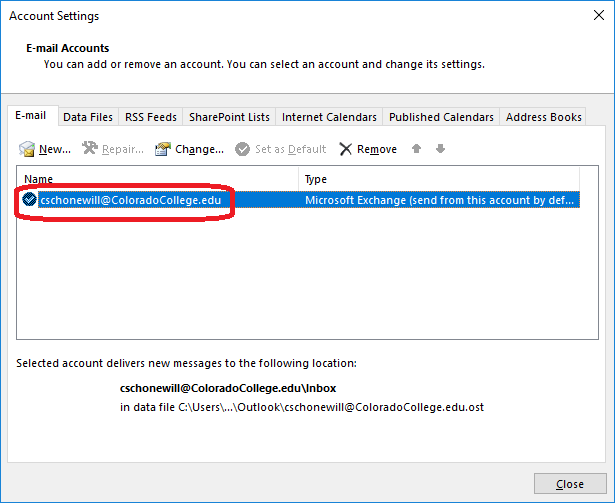
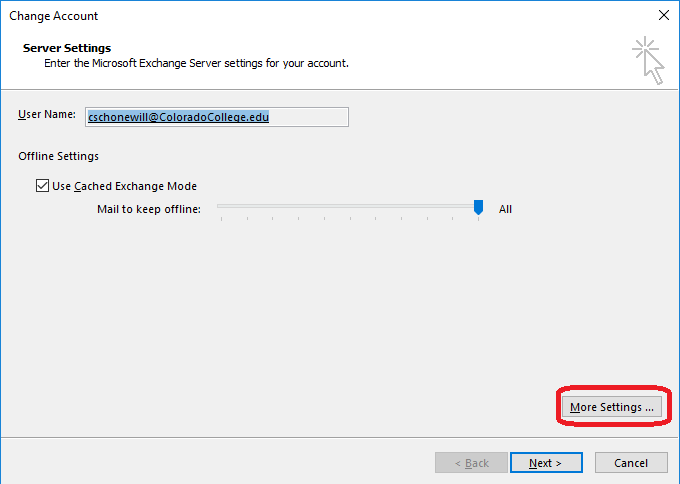
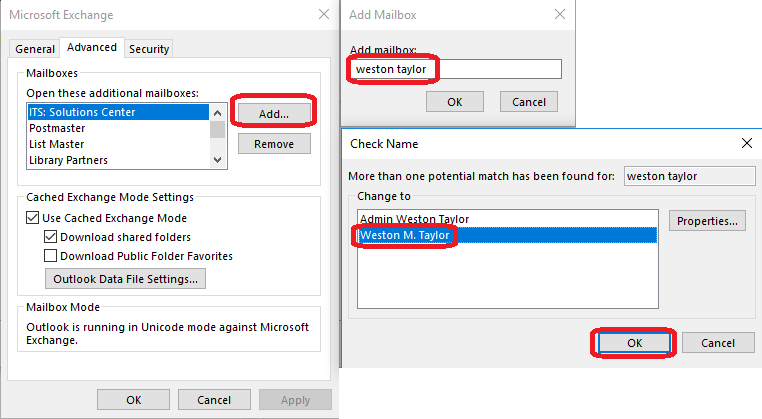
show all / hide all
Open for daily use - PC Outlook (New)
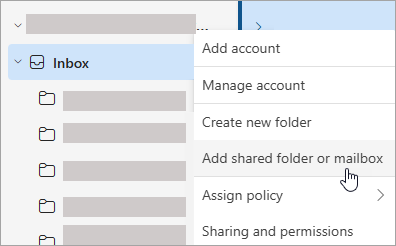
Open for daily use - Mac Outlook
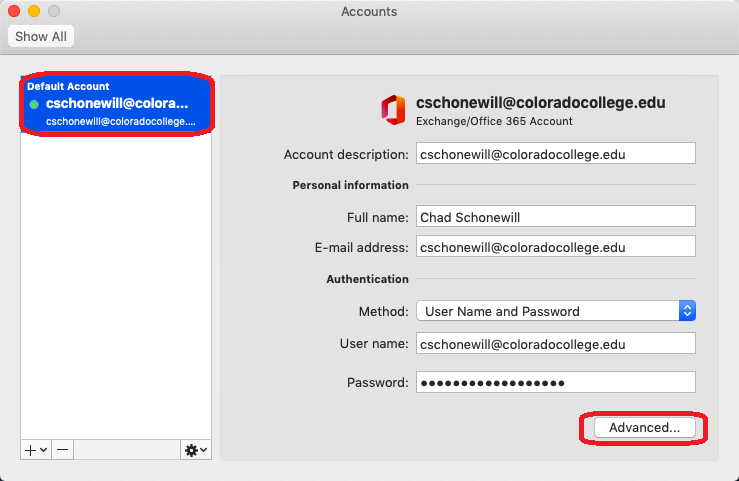
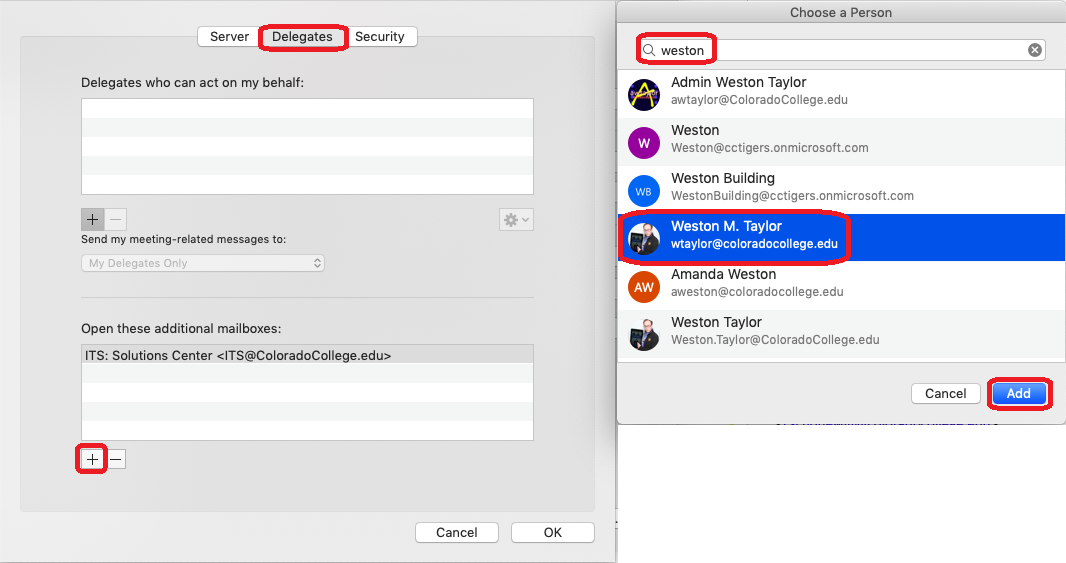
show all / hide all
Open for daily use - Mac Outlook (Legacy/Vintage/Old)
Microsoft's official directions for adding a shared mailbox to Outlook for macOS; please remember that you must have permissions to access the mailbox before you can open and use it. You can request permissions to access the mailbox by asking that your supervisor create a ticket with the Solutions Center.
-
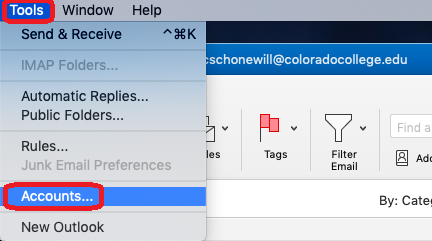
In the Tools menu, choose Accounts, and select the account that has access to the mailbox.
-
Select Delegation and Sharing
-
Choose Shared With Me tab
-
Choose + to add a shared or delegated mailbox
-
Alternatively, you can also go to File > Open > Shared Mailbox, to open a shared or delegated mailbox.
show all / hide all
Open occasionally - Email on the web
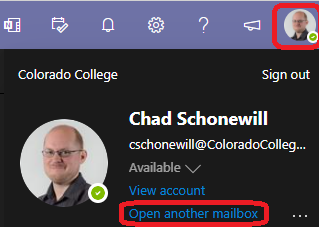
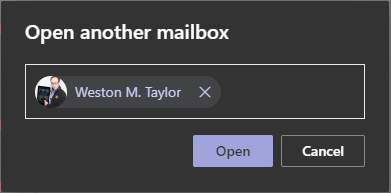
show all / hide all